What a laptop cooling pad is
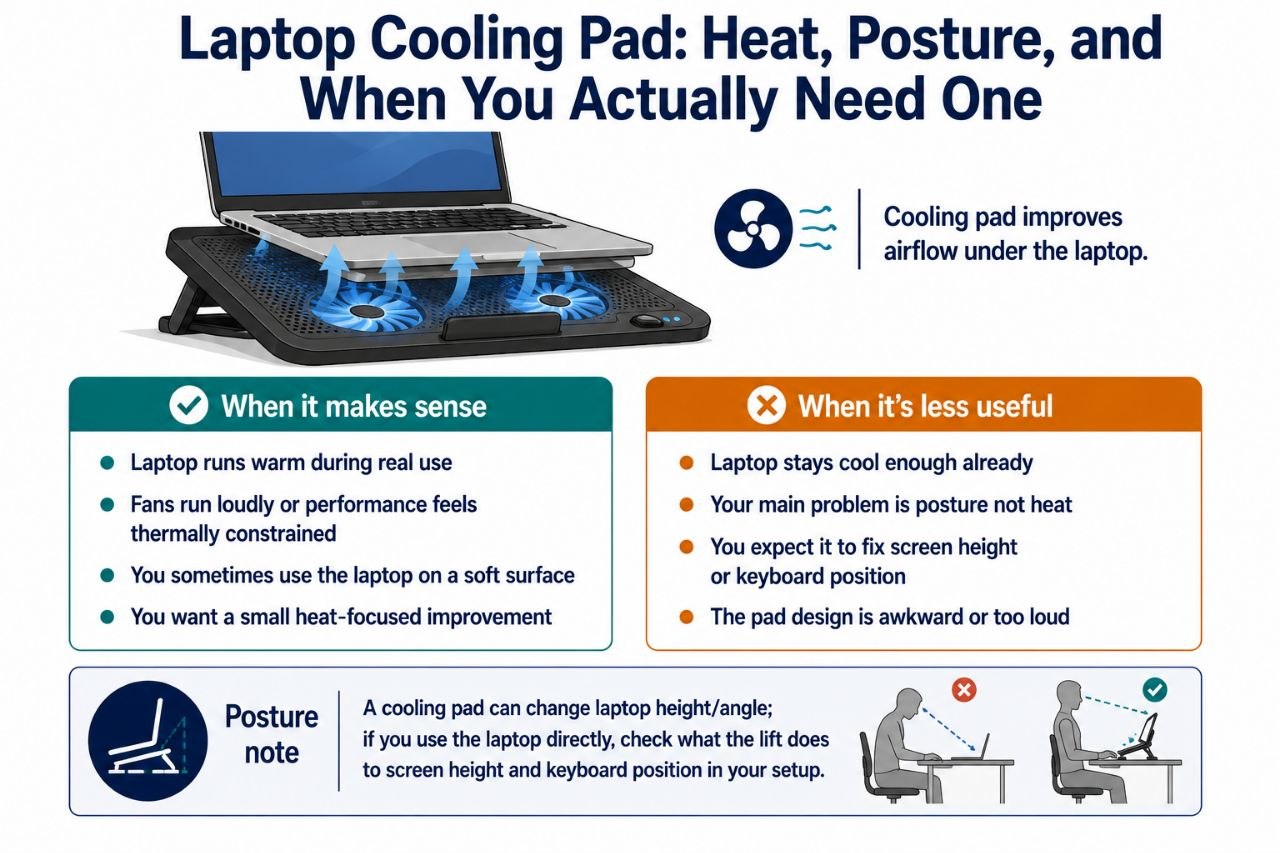
A laptop cooling pad is a base with fans that lifts the laptop slightly and pushes air toward the bottom vents. The intended job is simple: help the laptop stay cooler by improving airflow under it.
That part is straightforward. The less straightforward part is whether you need one, and what else changes when you add one to your setup.
When a cooling pad is a reasonable buy
A cooling pad makes the most sense when heat is actually a noticeable issue for you:
- Your laptop runs warm during real use. If the laptop gets hot to the touch, the fans run loudly, or performance feels thermally constrained during long sessions, a cooling pad can help a bit.
- You use the laptop on a soft surface sometimes. A couch, bed, or blanket can block airflow, and a cooling pad can improve that compared with direct contact with a soft surface.
- You want a small, passive-ish improvement to laptop thermal comfort without rebuilding your setup.
In those cases, a cooling pad is a sensible small accessory.
When it is less useful
- Your laptop stays cool enough already. If heat is not a real issue for your usage, a cooling pad may add little you would notice.
- Your main problem is posture, not heat. A cooling pad is not a desk, chair, or monitor solution. It does not fix screen height, keyboard position, or chair fit.
- You expect it to solve everything. It will not.
The honest framing is that a cooling pad is a heat-focused accessory, not a general ergonomic upgrade.
The posture angle people often miss
Adding a cooling pad can change the laptop’s position. Depending on the pad design, it may lift the laptop, which can change:
- Screen height. A lift can raise the screen slightly, which may help or hurt depending on the rest of the setup.
- Keyboard angle. If the laptop keyboard is part of your typing setup, a change in angle or height can affect wrist and arm position.
So if you are using a laptop directly — screen and keyboard both on the unit — it is worth thinking about what the pad does to the laptop’s position in your overall setup, not just to its temperature.
For a docked laptop used with an external monitor and keyboard, the laptop’s own position matters less, and the cooling pad is more purely about heat.
What to look for
A useful cooling pad usually has:
- Fans that are not annoyingly loud. If you use the laptop in calls or a quiet room, noise matters.
- A size and lift that suit your laptop. Too much lift or a poor fit can be awkward.
- A design that does not block your use. The pad should help without becoming an obstacle.
Free or cheap alternatives worth considering
- Using the laptop on a hard, flat surface instead of a soft one when heat is a concern.
- Making sure vents are not blocked by clothing, bedding, or an uneven surface.
- Managing workload — reducing heavy load when you do not need it can reduce heat without extra hardware.
These are not as targeted as a cooling pad, but they can cover part of the same problem in some cases.
A home office context
In a home office setup, a cooling pad is one of those small accessories that can be useful if heat is actually a problem for you. If your laptop is part of a larger setup — say, a standing desk, a monitor, and an external keyboard — the cooling pad’s role is narrower and more about the laptop specifically than about the whole workspace.
Bottom line
A laptop cooling pad is worth considering if your laptop runs warm enough to bother you, or if you sometimes use it on surfaces that block airflow. It is a heat-focused accessory, not a general ergonomic fix, and it can change the laptop’s position in your setup. If heat is not a real issue for you, or if your main problem is posture and workspace fit, a cooling pad is probably not the first thing to buy.
Shop the Hemi Life pick
NEW D20 Laptop Cooling Pad for 11-17.3” Notebook Cooler Stand… — Check on Hemi Life.