The add-on question
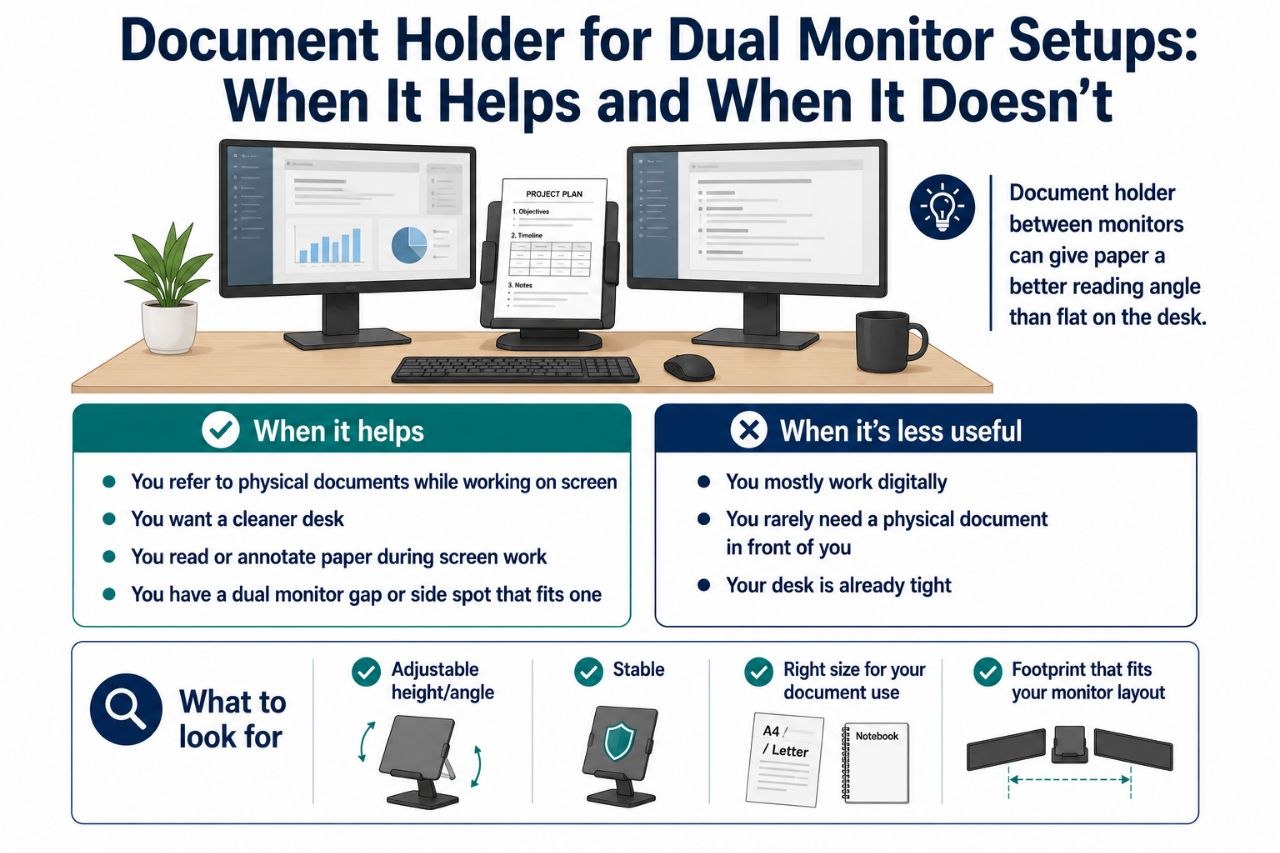
A document holder is one of those accessories that sounds almost obvious for a dual monitor setup: you have two screens, and you also have paper, notes, or a physical document you need to refer to. The holder keeps that material at a usable height instead of flat on the desk, where it can be harder to read and can clutter the workspace.
The question is not whether document holders exist. The question is whether one actually helps your specific workflow enough to be worth the space and money.
When a document holder helps
- You refer to physical documents while working on screen. If you regularly look between a paper document and one of your monitors, a holder that puts the document at a better angle can reduce that awkward flat-on-the-desk reading.
- You want a cleaner, more organized desk. A holder gives the document a defined place and can keep it off the main work area.
- You read or annotate paper during screen work. A holder can make that easier on the neck and eyes than a document lying flat.
In a dual monitor setup specifically, a document holder can sit in the gap between the monitors or to the side, depending on your layout, and give you a paper reference position that is more natural than laying it down.
When it is less useful
- You mostly work digitally. If your “documents” are usually files on screen, a paper holder may be mostly extra furniture.
- You rarely need a physical document in front of you. If the paper only shows up occasionally, a holder may be more object than benefit.
- Your desk is already tight. A document holder is another item competing for space, and in a small setup that can matter.
What to look for
A useful document holder usually has:
- Adjustable height and/or angle. The point is to get the document closer to screen height and at a readable angle. A fixed holder may still help, but adjustability makes it more adaptable.
- Stability. It should hold the document without wobbling or tipping when you handle it.
- A size that fits your document use. A holder for a single page is different from one for a tablet, notebook, or larger document.
- A footprint that fits your desk layout. In a dual monitor setup, the holder needs to fit in the gap or to the side without getting in the way.
Placement in a dual monitor setup
Two common placements:
- Between the monitors. This can work well if you have a gap and use the document while looking between screens. It keeps the paper roughly centered and at a usable height.
- To the side. This works if your document use is more occasional or if the between-monitor space is too tight.
The right placement depends on how often you use the document and how your monitors are arranged.
A practical caution
A document holder is a small thing, but small things can be annoying if they are in the wrong place. If it crowds your mouse area, blocks a monitor, or sits where you constantly bump it, it is not helping much.
When it is worth it
- You work with physical documents or paper notes while using your screens.
- You want a more comfortable reading angle for those documents.
- You have a dual monitor layout that leaves a sensible spot for one.
When you can skip it
- Your workflow is mostly digital.
- You rarely need a physical document in front of you.
- Your desk space is too tight to fit one cleanly.
Bottom line
A document holder can be a genuinely helpful add-on in a dual monitor setup if you actually use physical documents or paper notes during screen work. It gives those materials a better angle and a defined place. If your work is mostly digital or your desk is too tight, it is easy to skip. The value is in matching the holder to a workflow that needs it.
Shop the Hemi Life pick
Simple Metal Document Holder, Mesh File Rack with 3 Layers, Mail… — Check on Hemi Life.