Last updated: September 2026 · Written by Hemi
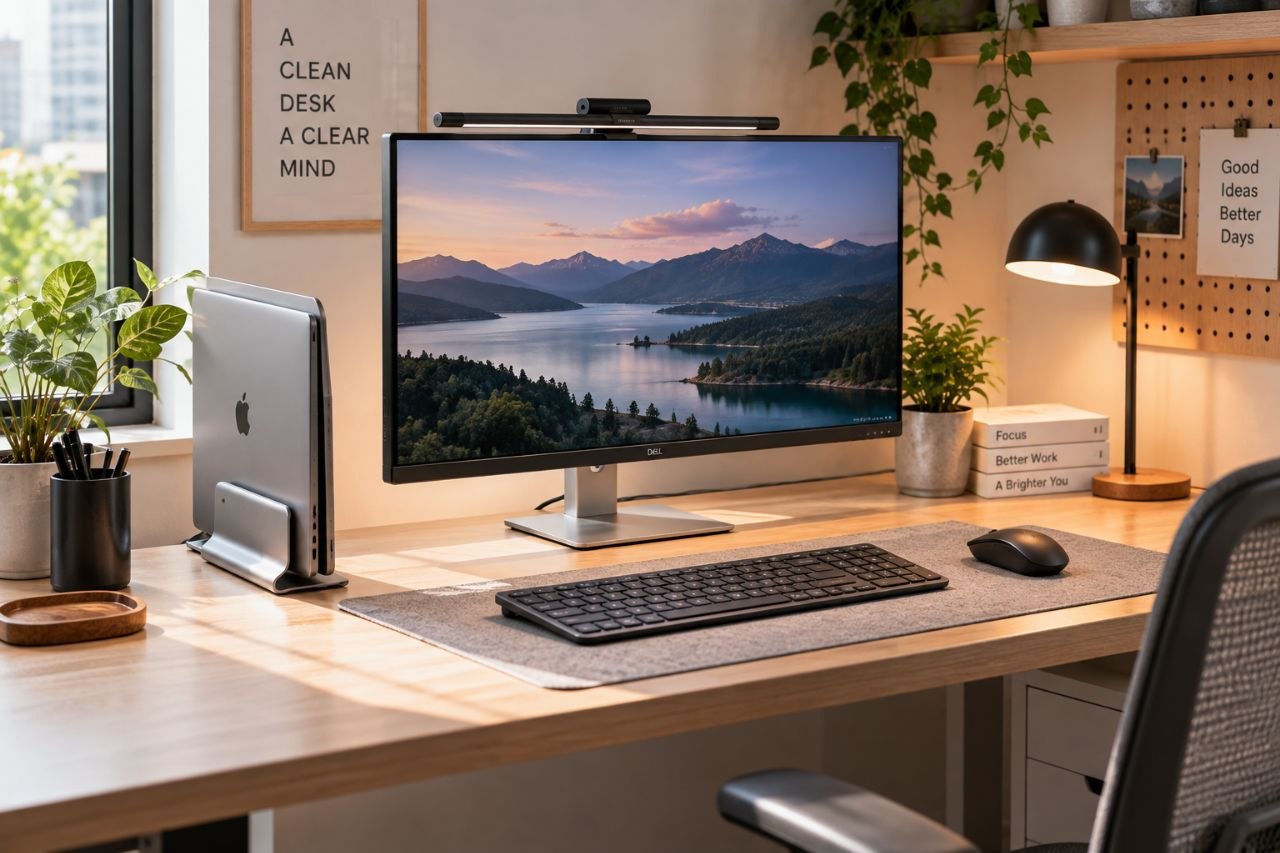
A vertical laptop stand promises to reclaim desk space by turning the laptop into a slim upright tower while you use an external keyboard, mouse, and often an external monitor. On a small desk that can be a real win. It can also create heat issues, cable clutter, and a setup that only works if the rest of the workstation is ready. This guide focuses on that niche — not the full laptop-stand category.
For the broader decision across stand types, use the main laptop-stand guide linked below. Use this article when your constraint is specifically shallow depth or missing horizontal space.
How a Vertical Stand Changes the Desk
In a vertical orientation the laptop footprint shrinks to roughly its thickness and width. The built-in keyboard is usually abandoned for daily work. That means you must already be comfortable with external input devices. Many people also add an external display because a vertically docked laptop screen can be awkward as the only screen.
- Space win: frees the rectangle the laptop used to occupy.
- Airflow: often better than a sealed laptop on a soft surface — but only if vents are not blocked by the stand.
- Requires peripherals for comfortable long sessions.
Decision Factors Before You Buy
- Laptop size and weight — check the stand published range; 16-inch machines often need stronger frames.
- Vent locations — side or rear vents must stay open.
- Desk depth — you still need room for an external keyboard and mouse in front of any external monitor.
- Port access — a stand that covers ports forces awkward dongles.
- Stability — wobble next to a busy mouse hand becomes unbearable.
When a Vertical Stand Fits
- Your desk is genuinely shallow and the laptop is stealing the only usable surface.
- You already use (or will use) an external keyboard and mouse.
- You have a plan for screen height — usually an external monitor — so you are not craning toward a vertical laptop panel all day.
When a Horizontal Riser Is Better
- You still type on the built-in keyboard for a large share of the day.
- Your laptop runs hot and the stand design looks likely to cover intake or exhaust.
- You lack space for external peripherals — vertical docking then creates a worse compromise.
- You mainly need eye-level height for the laptop screen itself — a horizontal riser may be the simpler tool.
Small-Desk Pairing Tips
Combine a vertical stand with aggressive cable routing and a compact keyboard. If the room is a true small-space office, read the small-space setup guide as well — the stand is one piece of a footprint strategy, not the whole strategy.
Shop the Hemi Life pick
Simple Vertical Aluminum Laptop Stand — Check on Hemi Life.
Bottom Line
Choose a vertical laptop stand when horizontal space is the bottleneck and you are ready to work with external input (and usually an external display). If you still live on the built-in keyboard, start with a conventional riser instead.
Vertical stands shine in temporary hot-desk kits too: laptop docks upright, peripherals in a pouch, desk clears for the next person. If that is your workflow, prioritize quick release and port access over decorative wood finishes.