Last updated: August 2026 · Written by Hemi
Two Routes, One Question
When you want a sit/stand workstation, you are really choosing between two routes: adding height adjustment to the desk you already own, or starting fresh with a desk built for the job. Neither route is universally better — which one fits depends on your current desk, your space, your budget, and how you work.
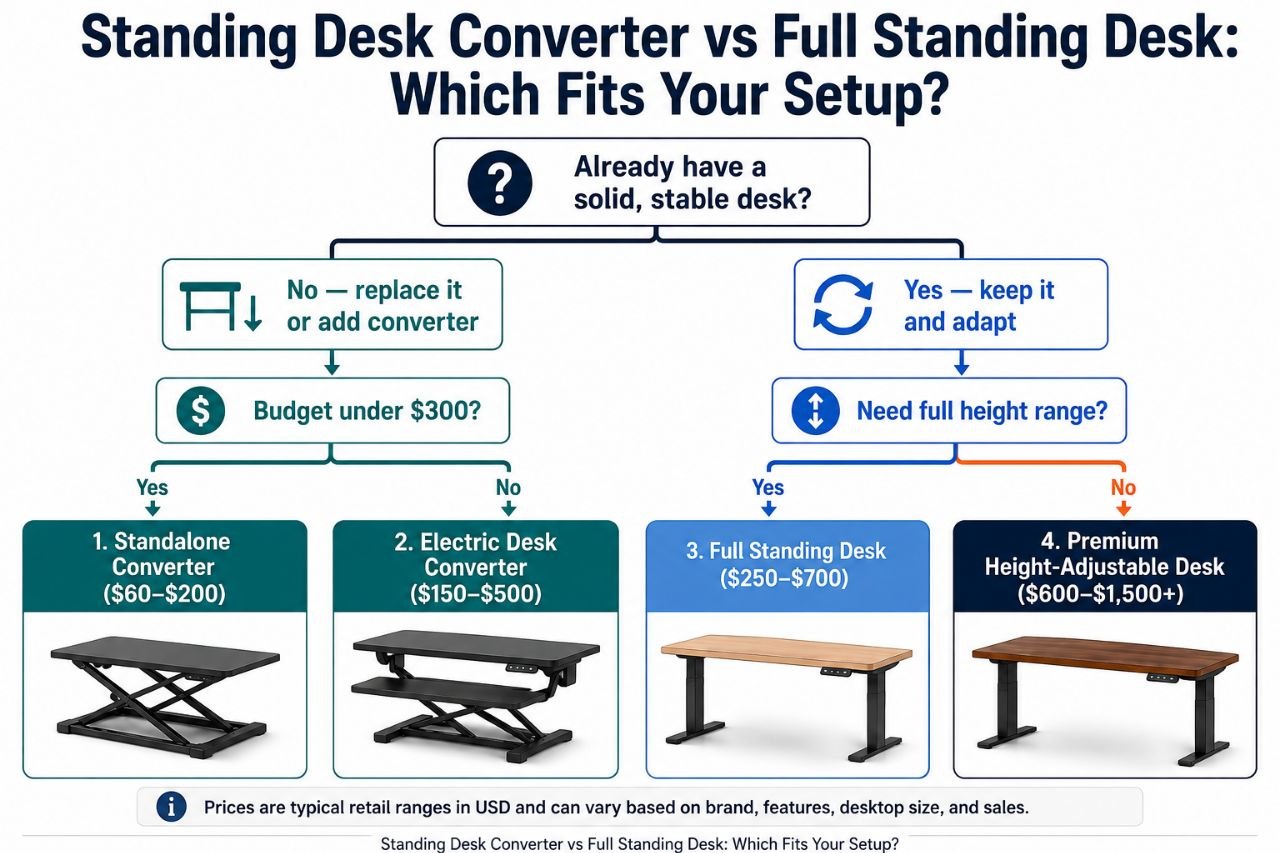
This guide walks through both paths as a decision tree so you can follow the branch that describes your situation, check the right things, and land on a sensible choice.
First: Keep Your Desk or Replace It?
The first fork is the simplest one. Ask yourself:
- Is your existing desk structurally sound, flat, and deep enough for your setup?
- Do you want to keep it — for sentimental reasons, because it matches the room, or because it was a considered purchase?
- Are you happy with the surface area it gives you?
If the answer to all three is yes, you are likely in Branch A — add a standing desk converter on top. If your desk is wobbly, too small, the wrong height, or you simply want a clean-sheet workstation, you are in Branch B — a full standing desk replaces it entirely.
Still unsure? Work through both branches below before deciding.
Branch A: Keep Your Existing Desk → Standing Desk Converter
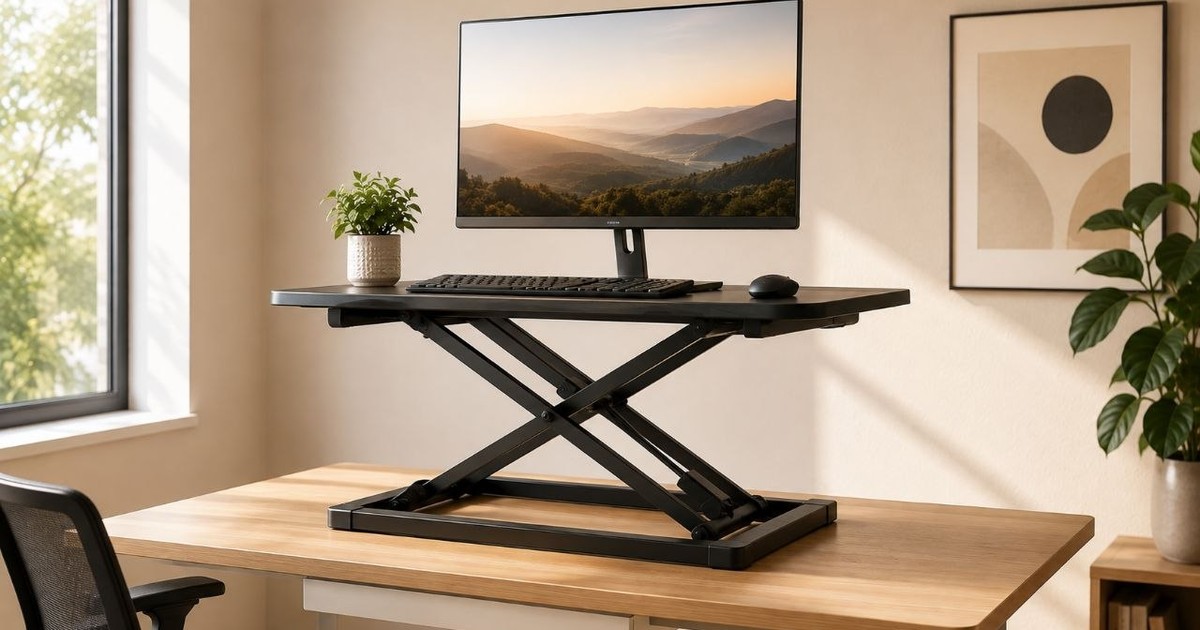
A standing desk converter (sometimes called a desk riser) sits on top of your current desk and lifts your monitor, keyboard, and mouse to standing height. The desk underneath stays put. Most converters need little or no assembly — you place them on the desk and start using them.
Who This Branch Fits
- Your existing desk is solid, flat, and has enough surface area.
- You want to add sit/stand without replacing furniture.
- Budget is tighter, or you prefer a simpler upgrade path.
- You may move the converter between desks or rooms.
What to Check on Your Existing Desk
Not every desk can host a converter safely. Verify these before buying:
- Desk depth: Enough room for the converter platform plus your monitor stand.
- Desk width: The converter’s base must fit within the available surface.
- Load capacity: Your desk must hold the converter’s weight plus all your equipment.
- Clearance: No drawers, lips, or edges that block the converter base.
- Existing desk height: If your desk is already tall, adding a converter on top may push the standing position uncomfortably high. Measure first.
- Surface flatness: A stable converter needs a flat, even base.
Stability
Converter stability comes from the combination of platform width, base footprint, the adjustment mechanism, and — critically — the desk underneath. A wider platform and larger base generally distribute weight better. Gas-spring mechanisms tend to move more smoothly than manual lifts. Check the manufacturer’s stated load rating and ensure your desk surface is level.
We do not claim physical wobble testing unless Hemi has specifically conducted and documented such testing.
Installation
- Usually placed on the existing desk with minimal or no assembly.
- Some converters are heavy — verify you can lift and position it safely.
- No need to clear the room or dismantle furniture.
Branch B: New Workstation → Full Standing Desk
A full standing desk replaces your existing desk entirely. It combines a height-adjustable frame with a desktop surface. The whole assembly moves — frame, desktop, and everything on it — between sitting and standing heights, usually with an electric motor and programmable presets.
Who This Branch Fits
- Your current desk is unsuitable — too small, unstable, wrong height, or worn.
- You are setting up a workstation from scratch.
- You want the largest possible continuous work surface.
- You prefer electric adjustment with preset memory positions.
- You want a purpose-built, integrated solution rather than a retrofit.
Stability
Full standing desk stability depends on frame construction — steel gauge, cross-bracing, leg design (T-leg, C-leg, or 4-leg configurations each behave differently) — and on the desktop size, since larger surfaces can amplify any frame movement. Staying within the rated load capacity helps. Some frames are more rigid at lower heights; check manufacturer specifications.
Installation
- Requires assembling a frame and desktop — more involved than placing a converter.
- You must remove or relocate the existing desk first.
- May need two people for frame assembly, depending on weight.
- Plan for extra floor space during setup.
Larger Surface, Cleaner Setup
A full standing desk typically provides a single continuous desktop, which can accommodate dual monitors, documents, and accessories more comfortably than a converter’s platform. Cable management can be routed through the frame, and the result is a cleaner, more integrated appearance.
From Either Branch: How to Settle the Right Height
Whichever route you take, the target working height is the same. A useful guideline: the top of your screen should be at or slightly below eye level, with your elbows at approximately 90° when typing. The exact height depends on your stature, chair height, monitor size, and standing posture — there is no single number that works for everyone.
To find your range:
- Sitting height: Adjust your chair so feet are flat on the floor and elbows are at roughly 90°. Measure from the floor to the top of your forearm where it meets the desk surface.
- Standing height: Stand naturally (avoid locking knees). Measure from the floor to the same forearm point.
- For converters: Add the converter’s height range to your existing desk height and check whether the total lands inside your measured standing range.
- For full desks: Confirm the frame’s published height range covers both your sitting and standing measurements.
Always use the manufacturer’s published specifications — never assume a product covers your range without checking.
Quick Decision Reference
| Your Situation | Likely Route |
|---|---|
| Solid, flat desk you want to keep | Standing desk converter |
| Desk is too small, wobbly, or wrong height | Full standing desk |
| Setting up a new room or office from scratch | Full standing desk |
| Need the largest possible work surface | Full standing desk |
| Tight budget, desk is adequate | Converter (compare cost vs. replacing the desk) |
| Move or reconfigure frequently | Converter may relocate more easily |
| Want electric adjustment with presets | Full standing desk (most converters are manual or gas-spring) |
| Need a specific height range | Compare actual specs — do not assume one category fits |
Which is better depends on your desk, your budget, and your height. There is no single right answer for everyone.
Real Examples Across the Spectrum
Below are Hemi Life products that represent different points on the desk-height spectrum. Specifications are from published product information. A product is only described as a standing desk converter if its design raises the entire work surface — monitor, keyboard, and mouse — to a usable standing height.
Monitor Stand Riser 3-Height Adjustable — Fixed Riser (Not a Converter)
Type: Fixed-height monitor riser / desk organizer. This is not a standing desk converter.
- Material: Iron with rubber feet
- Height Settings: 3 fixed heights (10 cm, 12 cm, 14 cm)
- Max Load: 20 kg (44 lbs)
- Ventilation: Mesh holes for heat dissipation
- Dimensions: 36.5 × 23 × 14 cm
- Weight: ~1.06 kg
- Intended Use: Raise a monitor or laptop to a more comfortable viewing height on a fixed desk
- Price: $89
Available at: Monitor Stand Riser 3-Height Adjustable ($89)
32″ Desk Converter (Natural / Walnut) — True Standing Desk Converter
Type: Standing desk converter with gas-spring assistance. This raises the full work surface for sit/stand use.
- Adjustment: Smooth gas-spring lift
- Height Range: Adjustable from sitting to standing height
- Work Surface: 32″ wide, accommodates dual monitors
- Colors: Natural, Walnut
- Max Load: Refer to product specifications
- Intended Use: Convert an existing desk to a sit/stand workstation
- Price: $199 (Natural) / $299 (Walnut)
Available at: 32 Inch Desk Converter Natural ($199) / 32 Inch Desk Converter Walnut ($299)
Vinsetto Dual Monitor Stand Riser — Desk Riser with Storage (Not a Full Converter)
Type: Adjustable-width monitor stand riser with drawers. This is a desk riser with storage — not a full standing desk converter.
- Adjustment: Adjustable length and angle
- Width Range: Extends up to 116 cm
- Storage: Two drawers included
- Max Load: Refer to product specifications
- Intended Use: Monitor elevation and desk organization with storage
- Price: $89
Available at: Vinsetto Dual Monitor Stand Riser ($89)
The Rest of an Ergonomic Workstation
A standing desk — whether converter or full desk — is one component. Other elements matter just as much for a sustainable setup:
- Monitor positioning: Top of screen at or slightly below eye level, roughly 50–70 cm away.
- Keyboard and mouse: Positioned so elbows rest near 90°, wrists neutral.
- Chair: Adjustable height, lumbar support, feet flat on the floor.
- Foot position: Feet flat on the floor; consider a footrest when standing.
- Lighting: Reduce glare; task lighting can help.
- Cable management: Route cables to prevent pulling or snagging during height changes.
- Standing posture: Alternate between sitting and standing; avoid locking knees.
- Anti-fatigue mat: Can reduce fatigue during prolonged standing.
The overall setup — not any single product — determines comfort and long-term sustainability.
How We Headed Off the Template Trap
Every desk-solution article promises a clean comparison, but most stop at spec sheets and price. We went further: we started from your actual desk and your actual workflow, not from a product catalogue. The branch logic above – keep your desk or replace it, then settle the height from there – is how a real buyer should think, not how a reviewer should rank. If anything here reads like a template, that is a sign the comparison is incomplete, not thorough.
Two Paths, One Goal
A standing desk converter lets you keep the desk you have and add height adjustment on top. A full standing desk gives you a clean-sheet workstation built for the purpose. One is not inherently better — they solve different problems for different situations.
Check your desk first. Measure your height range. Compare actual specifications — not just category labels — and pick the route that fits your desk, your space, and your budget.